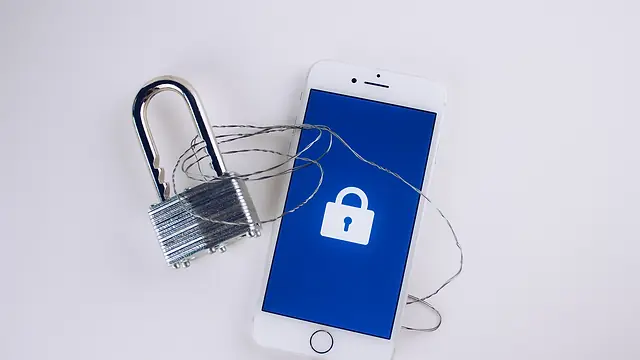
Phone Stolen? What to Do in the First Hour
That horrible moment your hand finds an empty pocket. Here's exactly what to do, minute by minute, to protect your money, accounts and friends.
6 min read

You're at the bus stop, reaching for your phone to check how far your ride is, and your hand finds… nothing. You pat the other pocket. The bag. The other pocket again, as if it might have reappeared. Your stomach drops through the pavement.
Your phone has been stolen.
In that moment, it feels like losing far more than a gadget. Your photos, your chats, your bank apps, your whole life lives in that rectangle. The good news: if you act quickly and calmly, you can protect most of what matters. This guide tells you what to do when your phone is stolen, in the order that helps most.
Phone stolen? First, keep yourself safe
Before anything else: don't chase the thief. No phone is worth your safety. Phone snatchers sometimes work in groups or carry weapons. Let it go, get somewhere safe and catch your breath.
Then find a device you can use. Borrow a friend's phone, ask a shop owner kindly, or get to a laptop. This is where having a trusted friend nearby is priceless.
Minutes 0 to 10: locate, lock and contain
Try to locate and lock the phone
Both major phone systems have built-in tools to find, lock and, if needed, erase a lost device, as long as the feature was switched on beforehand.
- iPhone: sign in to Apple's Find My on another device or at icloud.com and mark the phone as lost. Apple explains the steps on its page about how to find your lost iPhone or iPad.
- Android: use Google's device-finding service from another phone or computer. Google's help page on how to find, secure or erase a lost Android device walks you through it.
When you mark it as lost or secure it, you can usually lock the screen and show a message with a contact number. If you can see its location, don't go there alone to confront anyone. Share the information with the police instead.
Decide whether to erase it
Erasing wipes your data so the thief can't get to it. But on some setups, erasing can stop you tracking the phone afterwards. If the phone holds sensitive information and there's little chance of getting it back, erasing is usually the safer choice. Your data should be safe if you've been backing it up.
Call your network provider to block the SIM
This step is often forgotten, and it's one of the most important. Your phone number receives one-time passwords and bank codes. In many countries, including Nigeria, it may also be linked to mobile banking and USSD codes.
Call your mobile network provider's customer care line from a borrowed phone and ask them to block or suspend your SIM immediately. Ask about getting a replacement SIM with the same number; you'll usually need ID.
Minutes 10 to 30: protect your money
Call your bank
Call your bank's official fraud or customer care line and tell them your phone has been stolen. Ask them to:
- Block mobile banking access on the stolen device.
- Freeze or watch your cards if they were linked to the phone or a wallet app.
- Flag your accounts for unusual activity.
If you use more than one bank or a mobile money app, call them all. Write down the time and the name of who you spoke to.
Check for transactions
Once you can log in safely from another device, check for unfamiliar transactions and report any immediately.
Minutes 30 to 60: secure your accounts
From a trusted device, start securing your digital life. Begin with the accounts that open the door to everything else.
- Your main email. Change the password, and sign out of all other sessions if the option exists. Your email is where password reset links go, so protect it first.
- Your Apple ID or Google account. Change the password and remove the stolen phone from your trusted devices.
- Banking and payment apps, if your bank hasn't already locked them.
- WhatsApp and other messaging apps. Once you have your SIM back, reinstalling WhatsApp on a new phone with your number should log the old one out. If you'd set up two-step verification with a PIN, that adds extra protection.
- Social media. Change passwords and log out of other sessions.
- Any password manager. Change the master password if you think it might be at risk.
If you used the same password across several accounts, now's the moment to change them all. Our guide to strong passwords and password managers makes this less painful.
Within the hour: warn your people
Stolen phones can be used to message your contacts, pretending to be you, asking for money or verification codes. Get ahead of it.
- Post a quick message on social media or ask a friend to share in your group chats: "My phone was stolen today. If you get any message from my number or accounts asking for money or codes, it's not me. Please call [friend's number] if you need me."
- Tell close family directly, especially older relatives who might be targeted.
Our post on when a friend's account asks for money explains why this matters so much.
Later that day and beyond: report and recover
Report it
- Report the theft to the police and ask for a reference or report. You may need it for insurance, for replacing your SIM or for any disputed bank transactions.
- Give them your phone's IMEI number, the unique ID for your device, if you have it. You can often find it on the original box or receipt, or in your Apple or Google account's device list.
- Contact your insurer if your phone was insured.
- Report suspicious activity on accounts to the relevant platforms.
The next few days: rebuild
- Get your replacement SIM and restore your number.
- Restore from backup on your new phone.
- Review account security: turn on two-step verification everywhere, preferably using an authenticator app.
- Watch your accounts for a few weeks for anything odd.
- Be alert to scam calls or messages claiming to have found your phone or offering to return it for a fee, or "Apple/Google support" asking for your login details. These are common follow-up scams.
Give yourself grace too. Having your phone stolen is genuinely upsetting, and feeling shaken for a few days is normal.
Do this today, before anything happens
The difference between a nightmare and an inconvenience often comes down to five minutes of preparation.
- Set a strong screen lock: a PIN of six digits or more, plus fingerprint or face recognition.
- Switch on Find My (iPhone) or Google's device-finding feature (Android) and check it works.
- Turn on automatic backups for your photos and data. The UK's National Cyber Security Centre has simple advice on securing your devices, including keeping them updated and backed up.
- Set a SIM PIN so your SIM can't simply be moved into another phone and used.
- Write down your IMEI (try dialling *#06# on most phones) and your network and bank emergency numbers. Keep them somewhere other than your phone.
- Don't store passwords in your notes app or photos.
- Hide notification previews on the lock screen, so codes aren't visible to anyone holding your phone. Our guide to privacy settings to change today shows how.
- Memorise or write down one trusted friend's number. Most of us can't remember a single number without our phones.
Out and about: reduce the risk
- Keep your phone out of sight in busy areas, at bus stops and in traffic.
- Don't leave it on cafe or restaurant tables, especially near the edge or the street.
- Be extra alert when using it near the road, where snatchers on bikes are a risk in many cities.
- Step inside a shop if you need to use your phone for a while.
Your challenge
Right now, while your phone is safely in your hand, spend five minutes on three things: check Find My or Google's device finder is on, set a SIM PIN and write your IMEI and bank's emergency number on a piece of paper in your wallet.
Then send this to the friend who keeps their phone in their back pocket at the market. For more ways to protect yourself, browse our safety collection, see how Kindred keeps people safe on our safety page, or find calm, phone-down plans in wellbeing.